Autonomous Vehicle Path Planning
Overview
Path planning is one of the most difficult areas of development for autonomous vehicles as it involves an ensemble of various systems that must work together. It relies on sensory input to perceive the world around it and to subsequently output controls to see the computations to fruition. This creates an ongoing loop of operation that will be in operation until the car has arrived at its destination.
A car could have separate models for the various situations it may encounter such as: intersections, highways, parking lots, construction zones, etc. Different parameters of operation will be in effect for each of these. For this project I will describe a model I have written that involves a 3-lane road with no exits/entrances, and multiple other vehicles that may be going at different speeds.
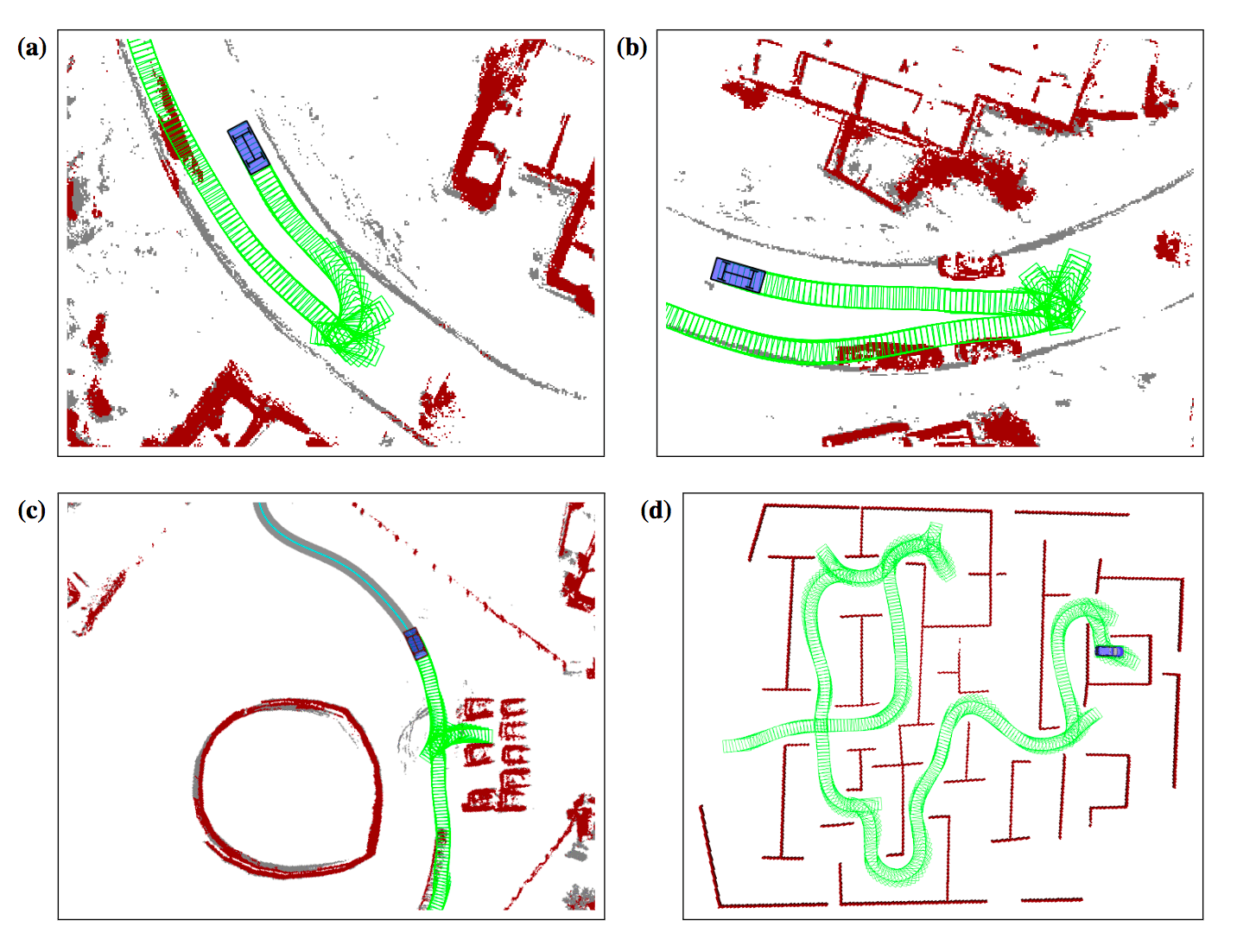
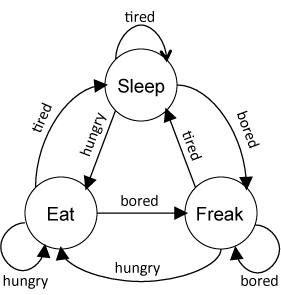
It is a simplistic model, but it captures the essence of what is referred to as a finite state machine. Below is a visual representation of a 3-state machine that could represent basic human functioning. There are specific actions to take depending on your current state of being:
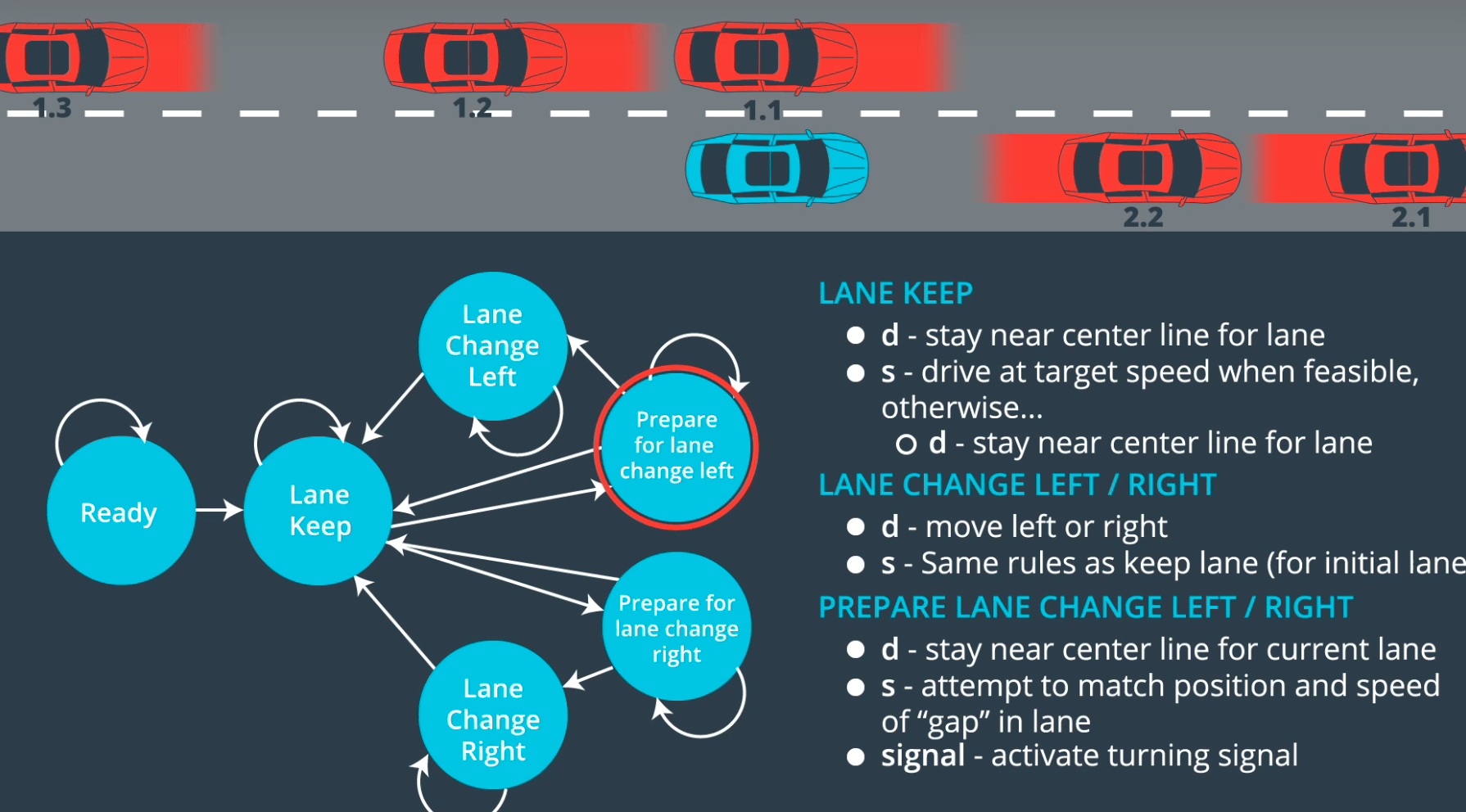
For this project the states involved are: speed up, hold speed, slow down, keep lane, change lane left, or change lane right.
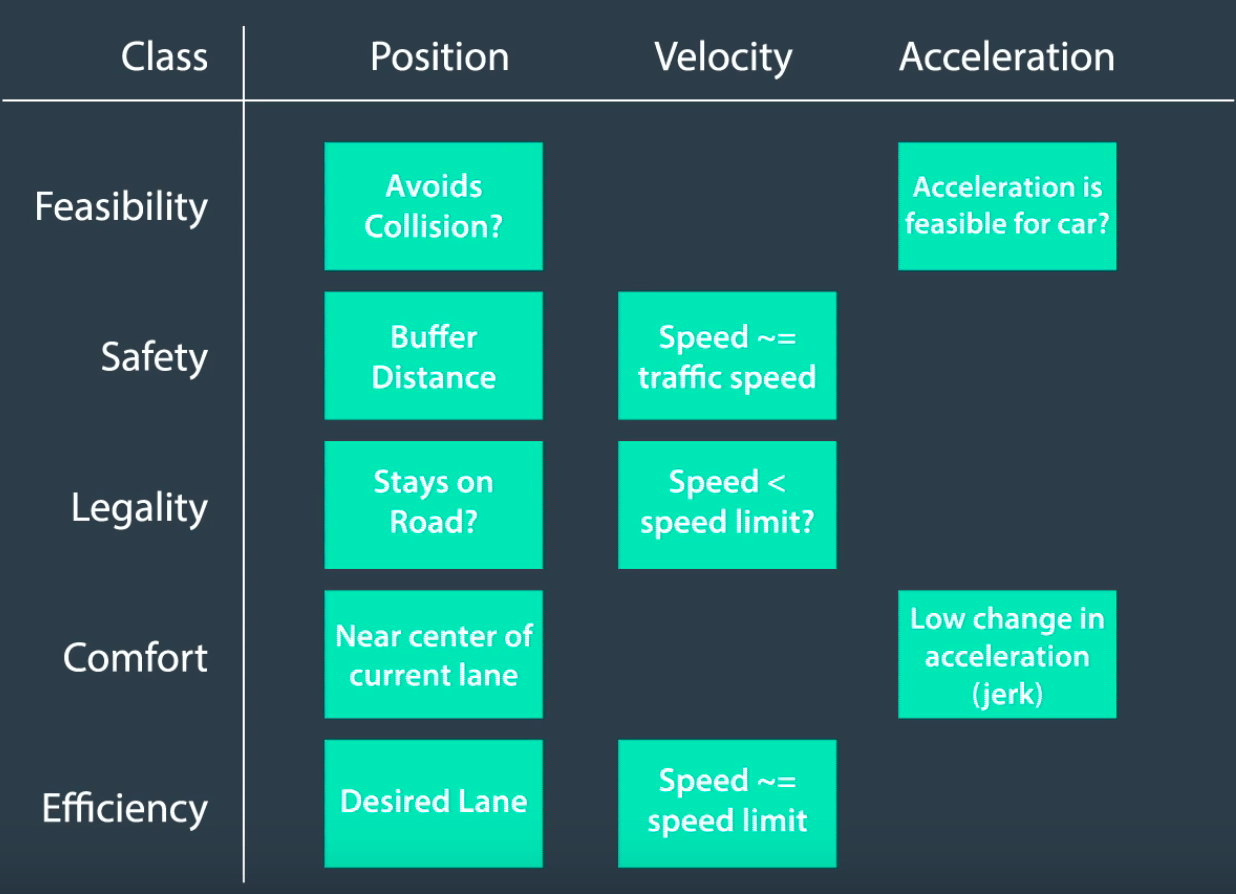
Using the Unity game engine and C++, this program attempts to complete infinitely many laps around the course without breaking a few ‘rules’ I have put in place. These include:
- Speed limit — 50mph
- Max Acceleration — 10 m/s²
- Max Jerk (as a derivative of acceleration) — 10 m/s³
- Don’t hit other cars
- Stay on the road
Other than that, go as fast as possible!
In the 1940’s the US Air Force tested the different effects of high g-forces (acceleration) on the body, using Col. John Stapp as a test subject. He strapped himself to a rocket sled and reported his reactions. In the process he experienced >45g and proved these situations are survivable, though he suffered numerous injuries such as: headaches, concussion, a fractured rib and wrist, and a hemorrhaged retina.
How to Handle State Changes
This code block below sets the lane variable for other cars on the road by detecting the number of meters from the left-most edge of our direction (so 0 is the center-line dividing the two directions). For the sake of this project this information is known to us, but in the real world it must be gather via various perception methods.
What lane are the other cars in?
Using some finite state calculations, we can set the lane variable for other cars:
if (d > 0 && d < 4) // d represents location in meters from left-most edge
{
  car_lane = 0; // 0-4 meters = lane 0, (left-lane)
}
else if (d > 4 && d < 8)
{
  car_lane = 1; // middle-lane
}
else if (d > 8 && d < 12)
{
  car_lane = 2; // right-lane
}
if (car_lane < 0)
{
  continue;
}
In the code above ‘d’ represents the distance from the center-lane in meters for another vehicle. So 0 represents the middle of the road, while 4–8 represent the middle lane in our direction (lanes are 4 meters wide), and so forth.
How near/far are the other cars?
With that lane information we can now analyze the near/far front/back positioning relative to ours:
// estimate longitudinal position of a car (s)
check_car_s += ((double)prev_size * 0.02 * check_speed);

if (car_lane == lane) // if the other car is in 'lane' (our lane)
{
  // is it within 30m ahead of us?
  car_ahead |= check_car_s > car_s && check_car_s - car_s < 30;
}
else if (car_lane - lane == -1) // if left of us
{
  // 30m front or back?
  car_left |= car_s - 30 < check_car_s && car_s + 30 > check_car_s;
}
else if (car_lane - lane == 1) // if right of us
{
  // 30m front or back?
  car_right |= car_s - 30 < check_car_s && car_s + 30 > check_car_s;
}
Now that we know the lane of other cars, we would like to know the longitudinal distance. In this case we would like to know if a car is within 30 meters in front or back of us.
With this knowledge we can now use it in our next finite state machine in deciding how to act when coming upon on of these situations, such as changing lanes or slowing down to avoid hitting another car. In the code above we decided if a car was in a 60 meters buffer front/back, and below we can use that in our finite state machine to decide whether to change lanes, hold lane, or speed up/down.
Below is an example a vehicle state machine for driving down a highway:
if (car_ahead)
  {
    cout << "Car Ahead!!!\n\n\n\n\n\n"
       << endl;
    if (!car_left && lane > 0) // no left-car, yes left-lane
    {
      lane--; // Change lane left
    }
    else if (!car_right && lane != 2) // no right-car, yes right-lane
    {
      lane++; // Change lane right
    }
    else
    {
      speed_diff -= max_acl; // else slow down
    }
  }
  else
  {
    if (lane != 1) // not in center lane
    {
      if ((lane == 0 && !car_right) || (lane == 2 && !car_left)) // left-right is clear
      {
        lane = 1; // Back to center.
      }
    }
    if (ref_vel < max_vel)
    {
      speed_diff += max_acl;
    }
  }
The rest of the code is fairly straightforward in that I just need to follow the actions I decided on above, without breaking any of the rules defined at the beginning. The max_vel variable is set at 49.5 mph (just under the 50 mph limit), while max_acl is 0.224 — a per-tick velocity step in mph (~5 m/s² equivalent acceleration), which keeps the car under the 10 m/s² comfort limit.
Splines, or how to smooth out discrete trajectory points
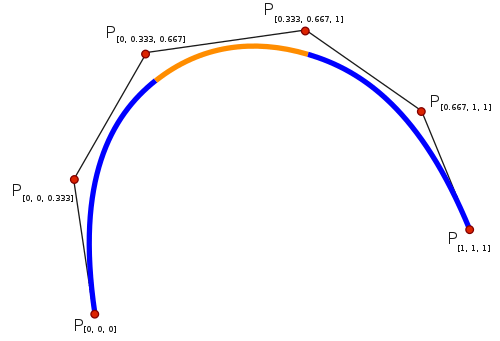
From the image above, you can see how the discrete points (‘P’) are smoothed out. This is a polynomial interpolation. The tk::spline library used here fits a cubic spline (piecewise 3rd-order polynomials), which gives smooth curvature continuity without the oscillations higher-order polynomials can introduce.
In the image below, you can see a bit of the curvature that it may produce. As the time horizon is low and road relatively straight, there is not much curvature to be found in this particular project.
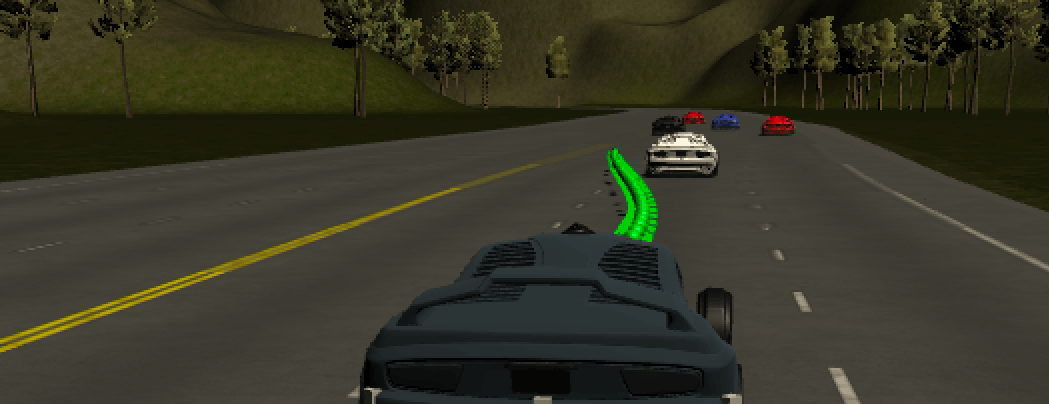
Without this method, the car will be attempting to change positions as fast as mechanically possible to each new subsequent desired position and heading, which being a simulation in this case, is instantaneously. Fortunately, the code here is super simple as I just included the spline library, so I only need to write this:
// create a spline
tk::spline s;
// set (x,y) points to the spline
s.set_points(ptsx, ptsy);
With the spline ready, I can populate the next desired coordinates for my car using the following code block:
// define the (x,y) points we will use for the planner
vector<double> next_x_vals;
vector<double> next_y_vals;
// start with previous path points from above
for (int i = 0; i < prev_size; i++)
{
  next_x_vals.push_back(previous_path_x[i]);
  next_y_vals.push_back(previous_path_y[i]);
}
// calculate how to break up spline points to travel at desired reference velocity
double target_x = 30.0;
double target_y = s(target_x);
double target_dist = sqrt(target_x * target_x + target_y * target_y);
double x_add_on = 0;
// fill up the rest of path planner after filling with previous points
for (int i = 1; i < 50 - prev_size; i++) // 50 points
{
  // ramp up speed
  ref_vel += speed_diff;
  if (ref_vel > max_vel) // until hitting limit
  {
    ref_vel = max_vel; // then hold
  }
  else if (ref_vel < max_acl) // if hitting max acceleration
  {
    ref_vel = max_acl; // keep at max acceleration
  }
  double N = target_dist / (0.02 * ref_vel / 2.24);
  double x_point = x_add_on + target_x / N;
  double y_point = s(x_point);
  x_add_on = x_point;
  double x_ref = x_point;
  double y_ref = y_point;
  // now rotate BACK to normal
  x_point = x_ref * cos(ref_yaw) - y_ref * sin(ref_yaw);
  y_point = x_ref * sin(ref_yaw) + y_ref * cos(ref_yaw);
  x_point += ref_x;
  y_point += ref_y;
  next_x_vals.push_back(x_point);
  next_y_vals.push_back(y_point);
}
With the new X/Y coordinates inserted back to the Unity game engine via the JSON output, my car now smoothly follows my intended path, driving nice and safe!
Originally published on Medium.